HR setup planner:a calmer start, a plan you can use.
Tell us what you are organizing and get a practical checklist with the reasons, suggested owner roles and useful links. No account, no email, nothing sent. Download the plan and adapt it with your team.
A planning aid. It organizes preparation tasks from your answers. It does not change any company, enable any module or tell you what the law requires.
Your starting plan
Clear steps. Suggested owners.
- 1–10 people
- Spreadsheets and documents
- One country
- Organizing: people records, leave and time off
- People data: needs review or cleanup
A preparation checklist, not a rollout-time estimate, a score or a compliance assessment. Adjust it with the people responsible for your company.
Prepare the decisions
Choices and information to settle before you change anything.
Why: Someone needs to confirm employee data, decide policies and sign off access. Naming a backup as well means requests do not wait on one person.
Suggested owner role: Company owner or HR lead
Explore the platformWhy: Names, work emails, departments, roles and start dates are easier to fix before they are loaded anywhere. Resolve duplicates and keep sensitive information to what is needed.
Comes after: Choose an accountable owner
Suggested owner role: HR lead or data owner
Open the people-list guideWhy: Spreadsheets and documents tend to hold several versions of the same facts. Decide which file is current and keep a copy before you change anything.
Comes after: Choose an accountable owner
Suggested owner role: HR lead or data owner
Open the people-list guide
Configure with the right owners
Settings and workflows to review, each with a suggested owner role.
Why: Setup in the product covers company details, country defaults and starting needs, and you can decide later. This plan applies no settings; it only helps you prepare the answers.
Comes after: Choose an accountable owner
Suggested owner role: Company owner
See the setup stepsWhy: Access should follow real responsibilities. Try an employee and a manager view before giving anyone broad access.
Comes after: Review the existing company setup
Suggested owner role: Company owner or HR lead
Review access and workflowsWhy: Review whether you need more than name, role, department and start date in the people directory, and who may see each field. Keep what is kept to what is needed.
Comes after: Review and clean your people list
Suggested owner role: HR lead
Explore the people directoryWhy: Agree leave types, working days, approvers, carry-over and opening balances. Have a policy owner confirm each rule instead of copying a guessed default.
Comes after: Decide who can see and approve what
Suggested owner role: HR lead or policy owner
Explore leave management
Test, invite and improve
Try it with realistic examples before inviting the team, then learn from the first cycle.
Why: Use fictional data or an approved test group. Try a request, a manager decision, a phone view and an export, and record errors and manual hand-offs before inviting anyone.
Comes after: Review the existing company setup; Decide who can see and approve what
Suggested owner role: HR lead and a test manager
See real product screensWhy: Tell people what is changing, what their first task is, where to ask for help and who handles corrections. Review access before invitations are sent.
Comes after: Run a small pilot with realistic examples
Suggested owner role: Company owner or HR lead
Open the team introduction draftWhy: Pick a simple local baseline, such as incomplete records, unanswered requests or correction work, and choose one improvement for the next cycle.
Comes after: Plan invitations and team communication
Suggested owner role: HR lead and managers
Find a useful measure
Start small. It stays free.
Free forever for teams of up to 10 people. Larger teams are free for now; if that changes, we'll tell you first.
Nothing here creates an account or changes a company. The plan stays a checklist you control.
See where it lives
The real product, for what you chose
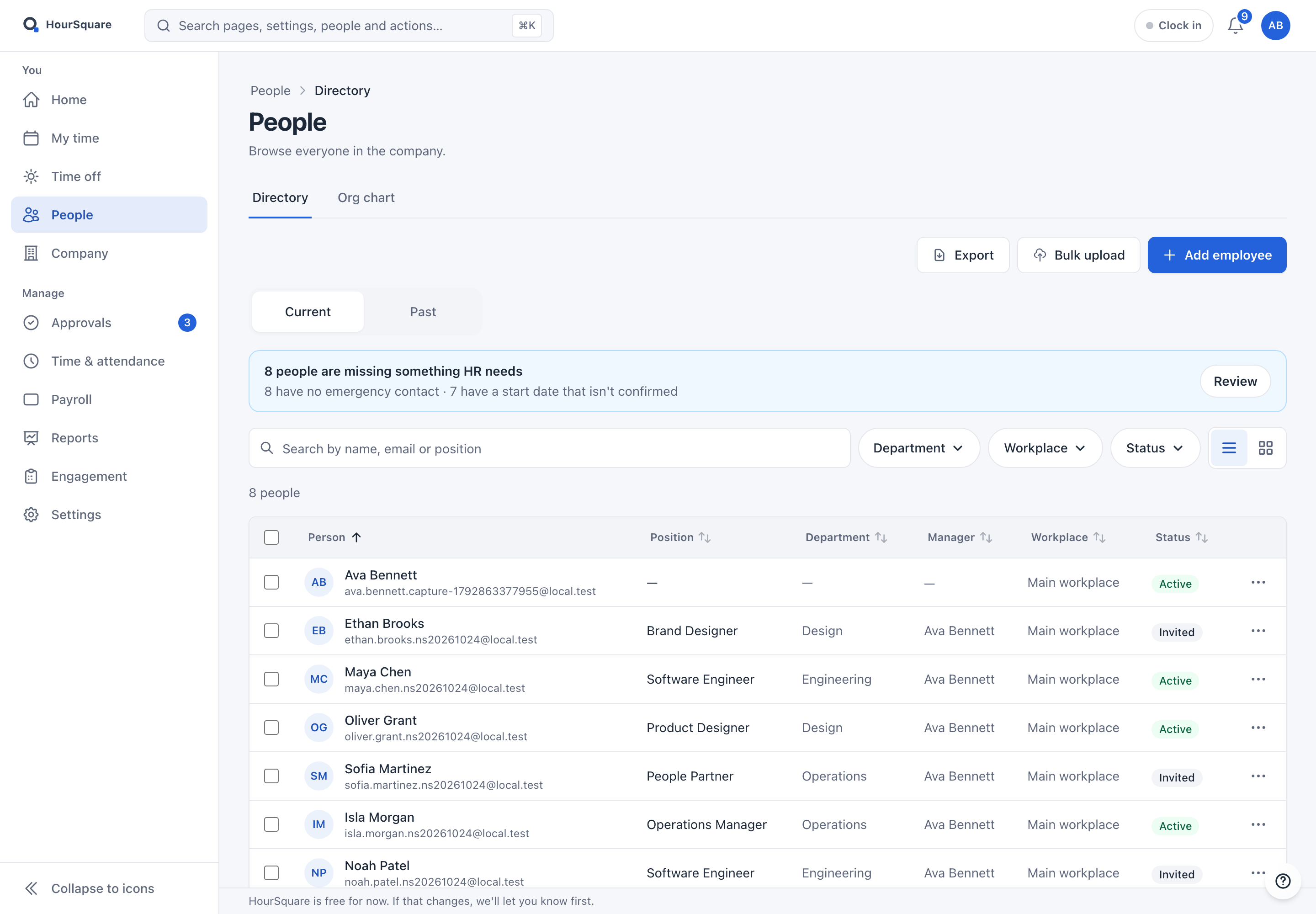
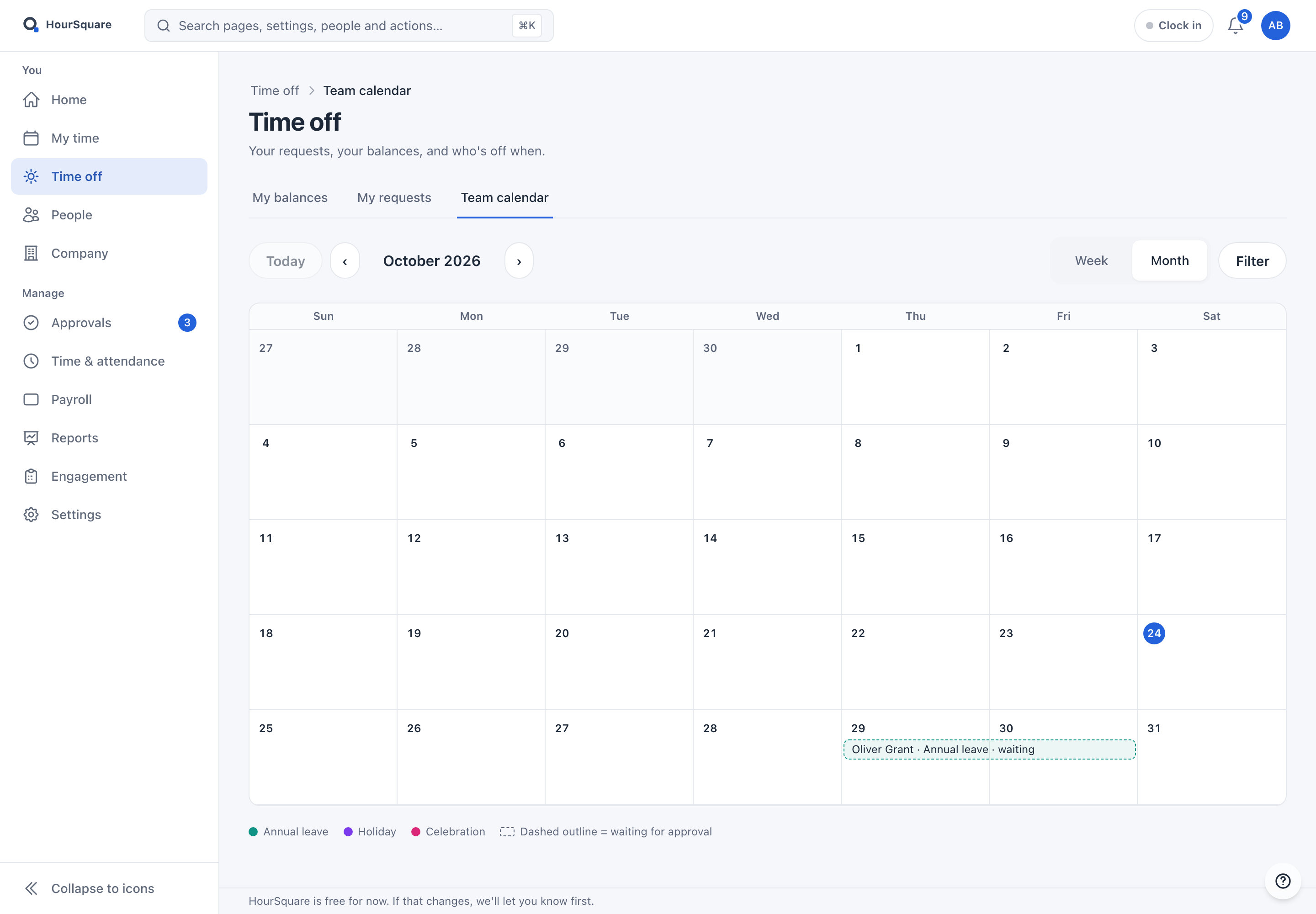
Reviewed screens from the current Hub, filled with a fictional company. They show where each area is, not how your company should be set up.
People records
Leave and time off
When you are ready
Continue into the setup that already exists
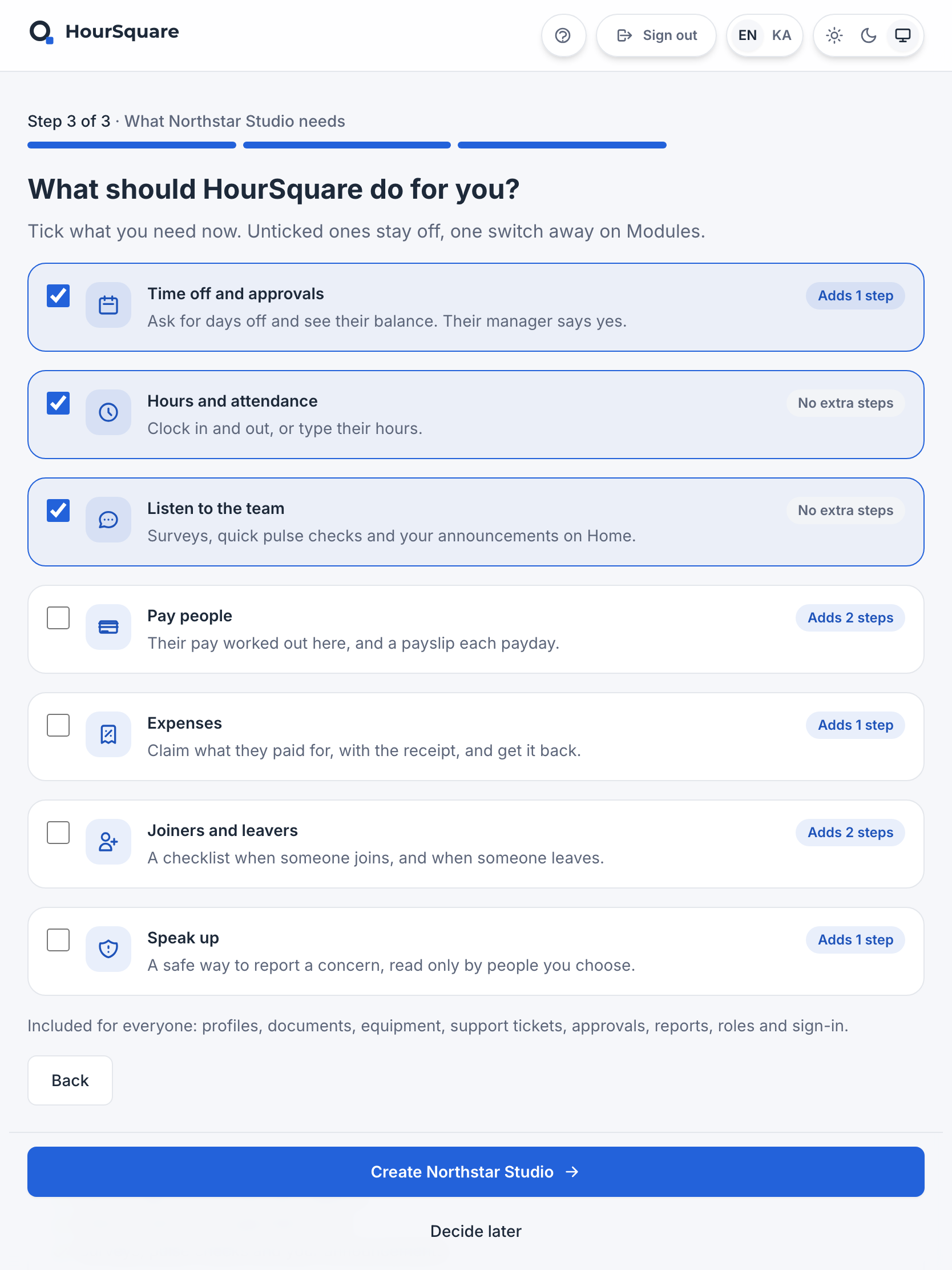
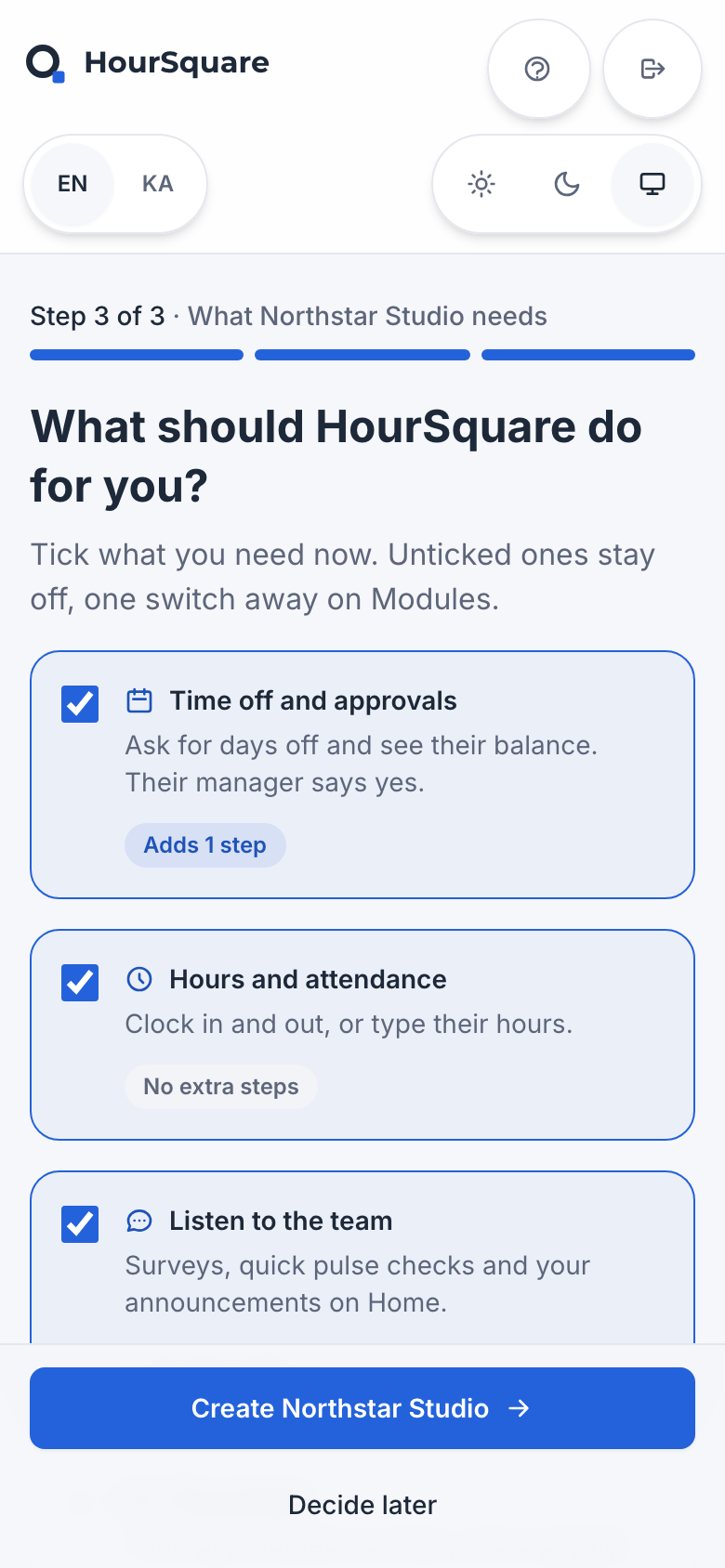
Company details, country defaults and starting needs, with “Decide later” available. The planner helps you prepare the decisions; you make the choices in the actual company setup.
See the product tour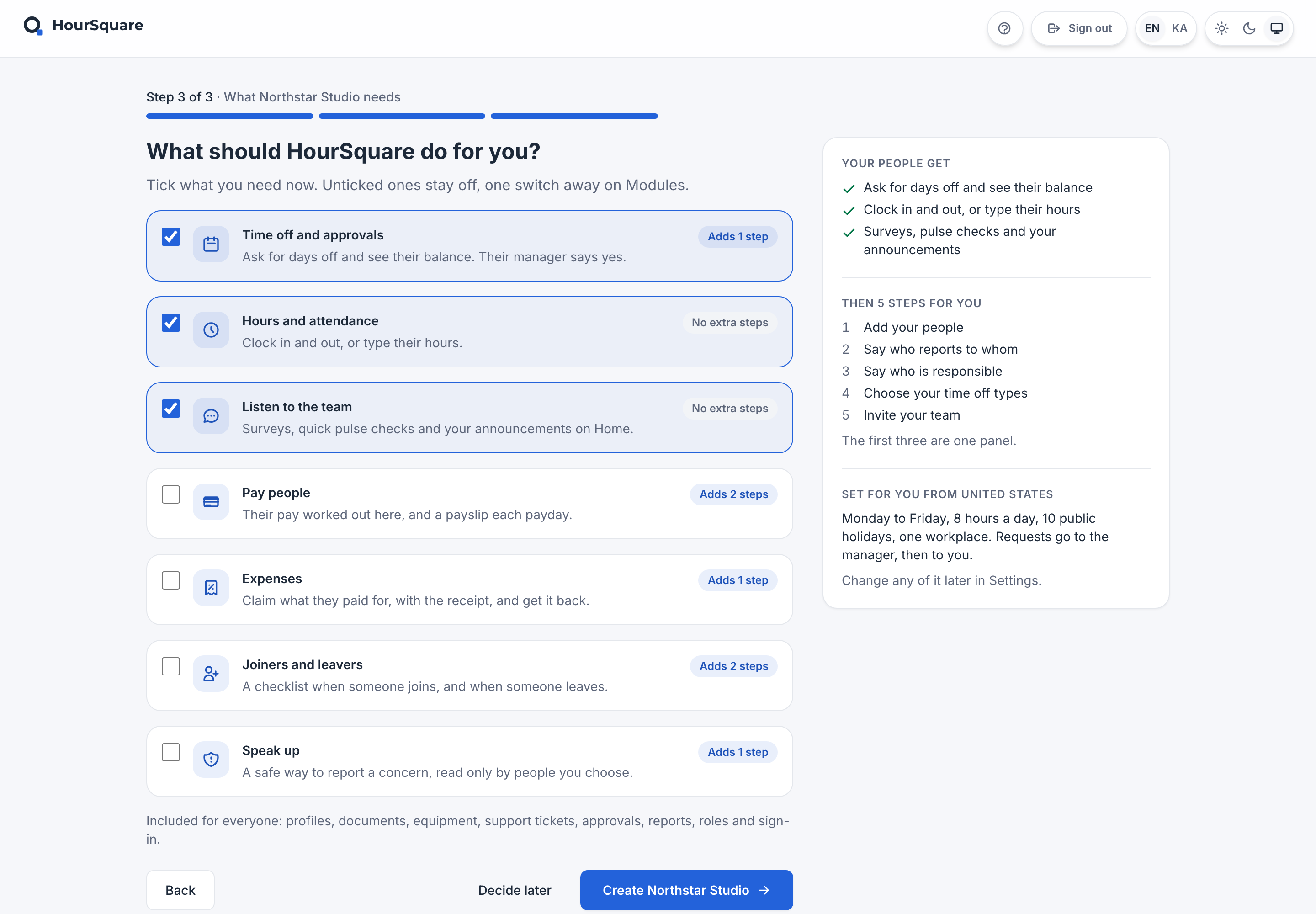
How the plan works
Plain rules, no hidden score
Every task comes from one written rule: if your answers meet a condition, the task appears, with the reason it appears and the tasks it should follow. Team size adds phasing and backup tasks as a team grows. More than one worker country adds a country-by-country requirements task. Another HR system adds data-scoping and connection checks. Each workflow you choose adds its own decision task. Whether your people data needs review or is ready to validate changes the first data task.
Nothing is scored, timed or priced: no rollout duration, saving or fit score is calculated. Capability tasks are worded “review whether you need…” because the planner does not know your company. Owners are suggested roles, never people. This is general preparation guidance, not legal, tax or payroll advice, and it names no country or compliance result.
Links point to current HourSquare pages where relevant. The plan stays useful if you choose another provider. People records, invitations, modules and billing are never changed here.
See every rule (22)
| Task | Stage | Appears when | Suggested owner role |
|---|---|---|---|
| Choose an accountable owner | Prepare the decisions | Always included | Company owner or HR lead |
| Review and clean your people list | Prepare the decisions | People data: Needs review or cleanup | HR lead or data owner |
| Check your prepared list against the current template | Prepare the decisions | People data: Prepared and ready to validate | Data owner |
| Choose one file as the source of truth | Prepare the decisions | Current process: Spreadsheets and documents | HR lead or data owner |
| List every kind of data you would need to move | Prepare the decisions | Current process: Another HR system | HR lead with the current system administrator |
| Write down where each HR task happens today | Prepare the decisions | Current process: Email, chat and scattered processes | HR lead and managers |
| Check which connections you rely on today | Prepare the decisions | Current process: Another HR system | Current system administrator |
| Map requirements country by country | Prepare the decisions | Worker locations: More than one country | HR lead with payroll and local advisers |
| Review the existing company setup | Configure with the right owners | Always included | Company owner |
| Decide who can see and approve what | Configure with the right owners | Always included | Company owner or HR lead |
| Review which people fields you need | Configure with the right owners | You chose: People records | HR lead |
| Confirm leave types, rules and opening balances | Configure with the right owners | You chose: Leave and time off | HR lead or policy owner |
| Review whether you need working-time tracking | Configure with the right owners | You chose: Working time | Operations lead and managers |
| Review whether you need payroll workflows, and confirm their scope | Configure with the right owners | You chose: Payroll workflows | Payroll owner with a local adviser |
| Review whether you need a joiner checklist | Configure with the right owners | You chose: Onboarding | HR lead and hiring manager |
| Map one request from employee to decision | Configure with the right owners | You chose: Approvals | Managers and HR lead |
| Name a backup for each approver | Configure with the right owners | Team size: 11–50 people or 51–200 people or 201 or more people | Managers and HR lead |
| Agree a data and access owner for each department | Configure with the right owners | Team size: 201 or more people | HR lead with department leads |
| Agree a pilot group, then expand in phases | Test, invite and improve | Team size: 51–200 people or 201 or more people | HR lead with department leads |
| Run a small pilot with realistic examples | Test, invite and improve | Always included | HR lead and a test manager |
| Plan invitations and team communication | Test, invite and improve | Always included | Company owner or HR lead |
| Review the first working cycle | Test, invite and improve | Always included | HR lead and managers |