One place for your people and their time.

People, time, pay and the work around them—connected in one workspace. Explore the whole platform before you sign up.

Review the offer, then create your account.

  • No card to sign up
  • No sales call required
What do you need first? Choose a suggested starting point.

You will confirm what your company needs in setup. Nothing is turned on here.

Inside HourSquareFictional demo companyExplore this workflow
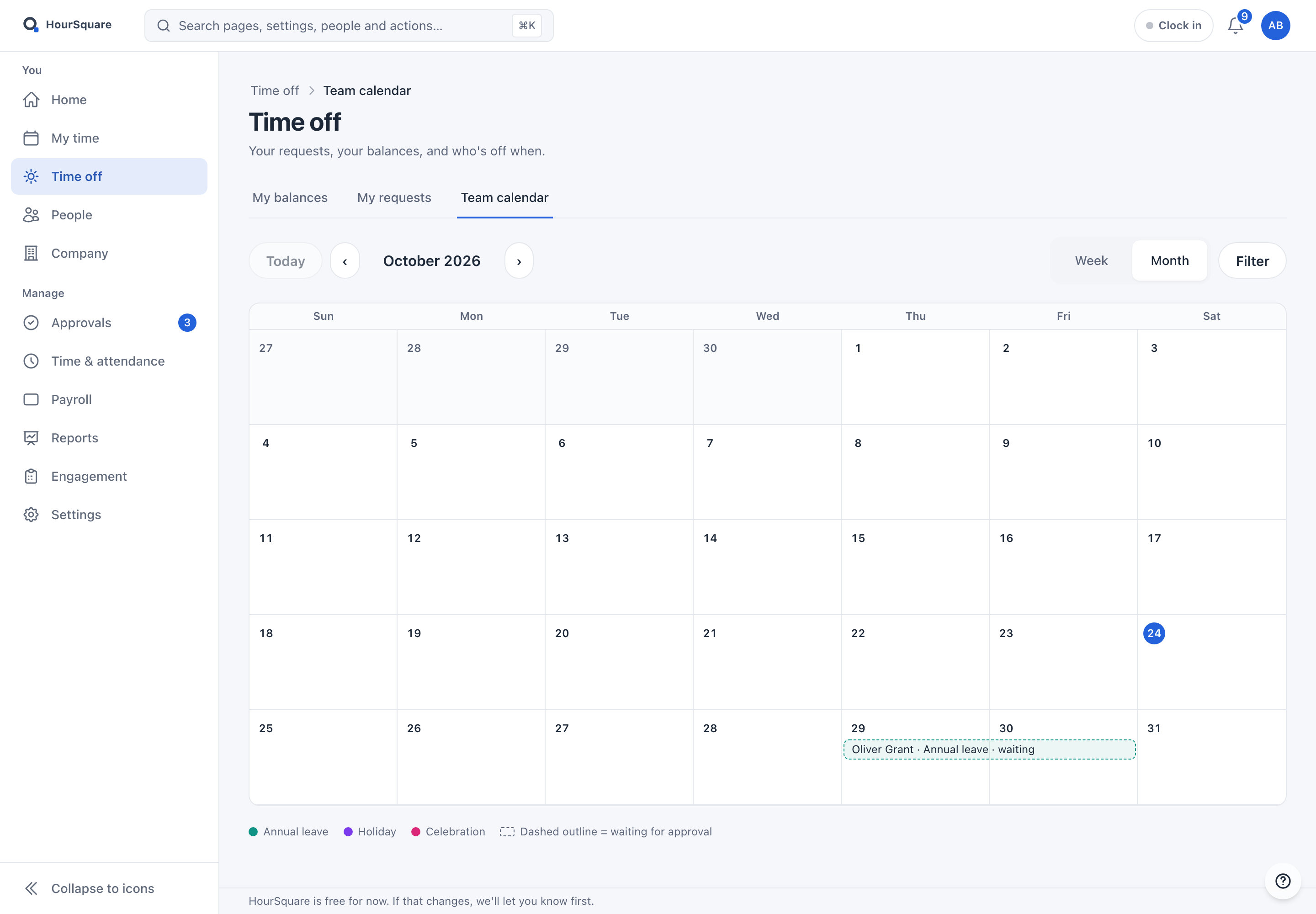
The HourSquare team calendar for a fictional company, showing a month with a time-off request waiting for approval
Real Hub · desktopReal Hub · tabletReal Hub · phoneTime off, with the whole team in view. See who is away and keep the working week in context.

Time off, with the whole team in view. See who is away and keep the working week in context.

Time off, with the whole team in view.

Actual product screen. No lead form to explore.Read about security & dataJoining an existing company?

The whole platform

HR has more than one moving part. Give them a shared home.

Keep the everyday work connected—from employee records and requests to payroll, communication and control. Explore the full platform, then decide what your company needs.

See every feature

People, in one clear picture.

Know the person, their role and where they fit. Keep records, contracts and documents connected.

  • Employee directory
  • Departments
  • Positions
  • Workplaces
  • Org chart
  • Company profile
  • Contract templates
  • Self-service profile
  • Documents & contracts
Explore this area

Time, leave and pay. Together.

From the working week to the pay run, with the policies, schedules and approvals behind each step.

  • Leave management
  • Time tracking
  • Work schedules
  • Holiday calendars
  • Payroll
  • Expenses
  • Payslips & reimbursements
Explore this area

Keep the handoffs moving.

Give each task an owner. Follow joiners, leavers, requests and company equipment through the work.

  • Onboarding
  • Offboarding
  • Checklist templates
  • Unified approvals
  • Tasks
  • Equipment
  • Employee services
Explore this area

A team that stays connected.

Share what matters, listen to employees and give sensitive concerns a dedicated reporting channel.

  • Engagement surveys
  • Anonymous whistleblowing
  • Announcements
  • Company page
  • Company library
  • Inbox & notifications
Explore this area

See what needs your attention.

People, leave, time, pay and engagement reports, alongside audit records and the right access for each role.

  • Reports hub
  • Audit log
  • Dashboards
  • Role-based access
  • People, pay, time & leave reports
Explore this area

Made to fit the way you work.

Start with guided setup, use the web app on your phone, and connect through documented sign-in and API options.

  • Support center
  • Guided setup
  • Phone layout
  • GDPR data protection
  • Single sign-on
  • Public API
  • Bilingual UI
Explore this area

You choose your company’s modules and settings during setup. A suggested starting point here does not turn anything on.

AI HR analytics is on the roadmap. Read what is planned

From a request to a decision

Less chasing.
More context.

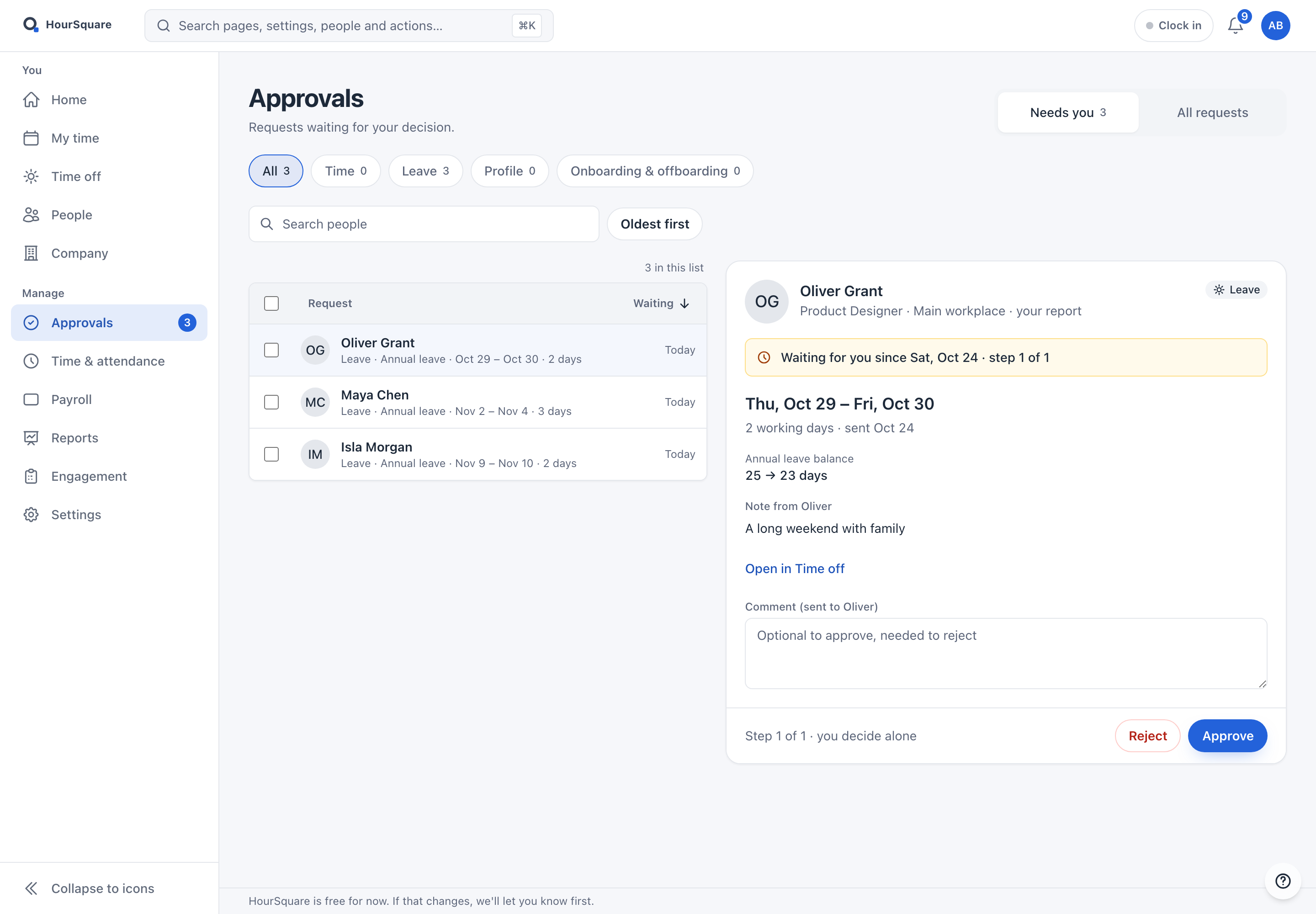
See the dates, leave balance and the person behind the request in one review. Follow the workflow your company has configured.

The HourSquare approvals screen of a fictional company: three leave requests waiting for a decision, with the selected request's dates, leave balance and note
Real Hub · desktopReal Hub · tabletReal Hub · phoneApprovals. Fictional company, three leave requests awaiting a decision.

Approvals. Fictional company, three leave requests awaiting a decision.

For employees

A clear place to ask.

Find your information, request time off and follow your own requests.

For managers

The context to decide.

See what is waiting for you, review the details and take the next step.

For people operations

One connected working view.

Keep records, policies, process ownership and reporting within reach.

A workspace for everyday use

It goes where
your working day goes.

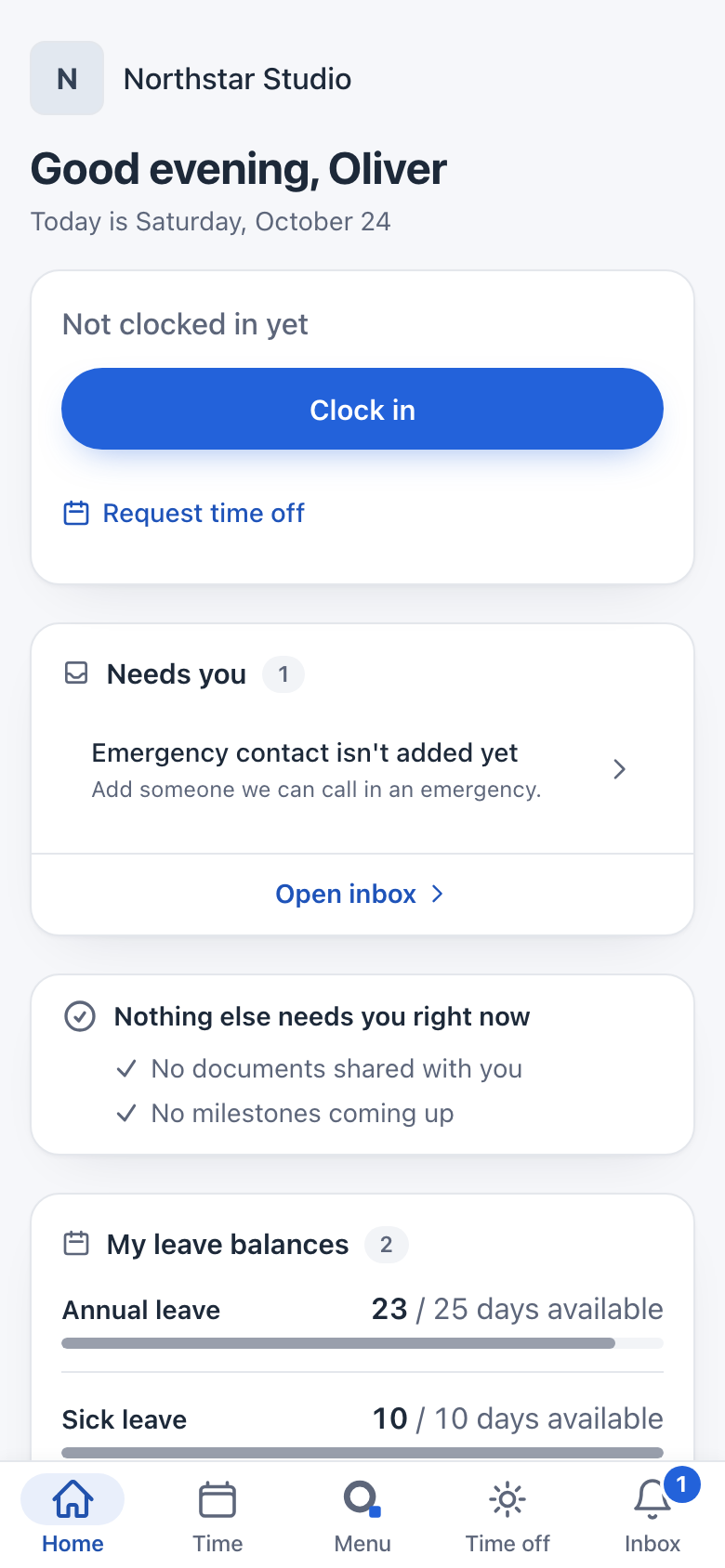
The real Hub has a phone layout for the work people do themselves: their time, time off, people, company information and Inbox.

  • Your own balances and requests
  • People and company information
  • Notifications and the next task

A responsive web app. What each person sees follows their role and the company’s settings.

Explore the real product tour
The HourSquare employee home on a phone, for a fictional employee: clock in, requests that need action and leave balances
Real Hub screenAn employee’s phone home. Current mobile screen, fictional employee data.

An employee’s phone home. Current mobile screen, fictional employee data.

Your first steps should
feel like progress.

A guided start, with useful defaults and room to add what you need. The new company setup is already part of HourSquare.

  1. Create your account

    Begin with your work email

    Use Google or one simple form. Confirm your email on the same page, then continue into your company setup.

  2. Make it your company

    Review a useful starting point

    Add your company details, check suggested defaults and choose what your company needs first.

  3. Bring your people in

    Choose when to invite the team

    Adding employee records and sending invitations are separate actions. Prepare your people list, then plan access.

Already know the product? Review the offer and create your account.

The existing company setup

Your company. Your starting point.

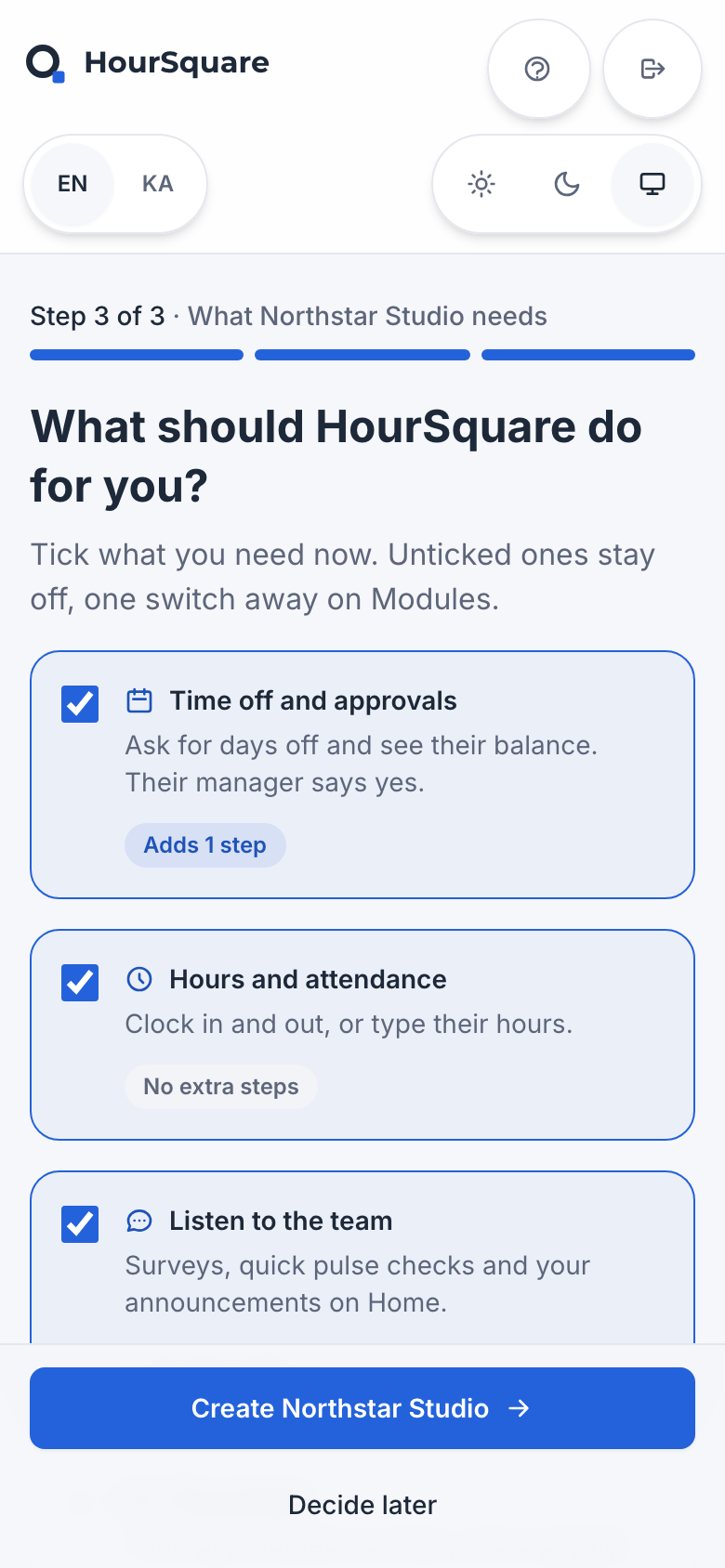
Company details, useful defaults, then starting needs. Preview the current three-step setup before you create an account.

See the three setup steps
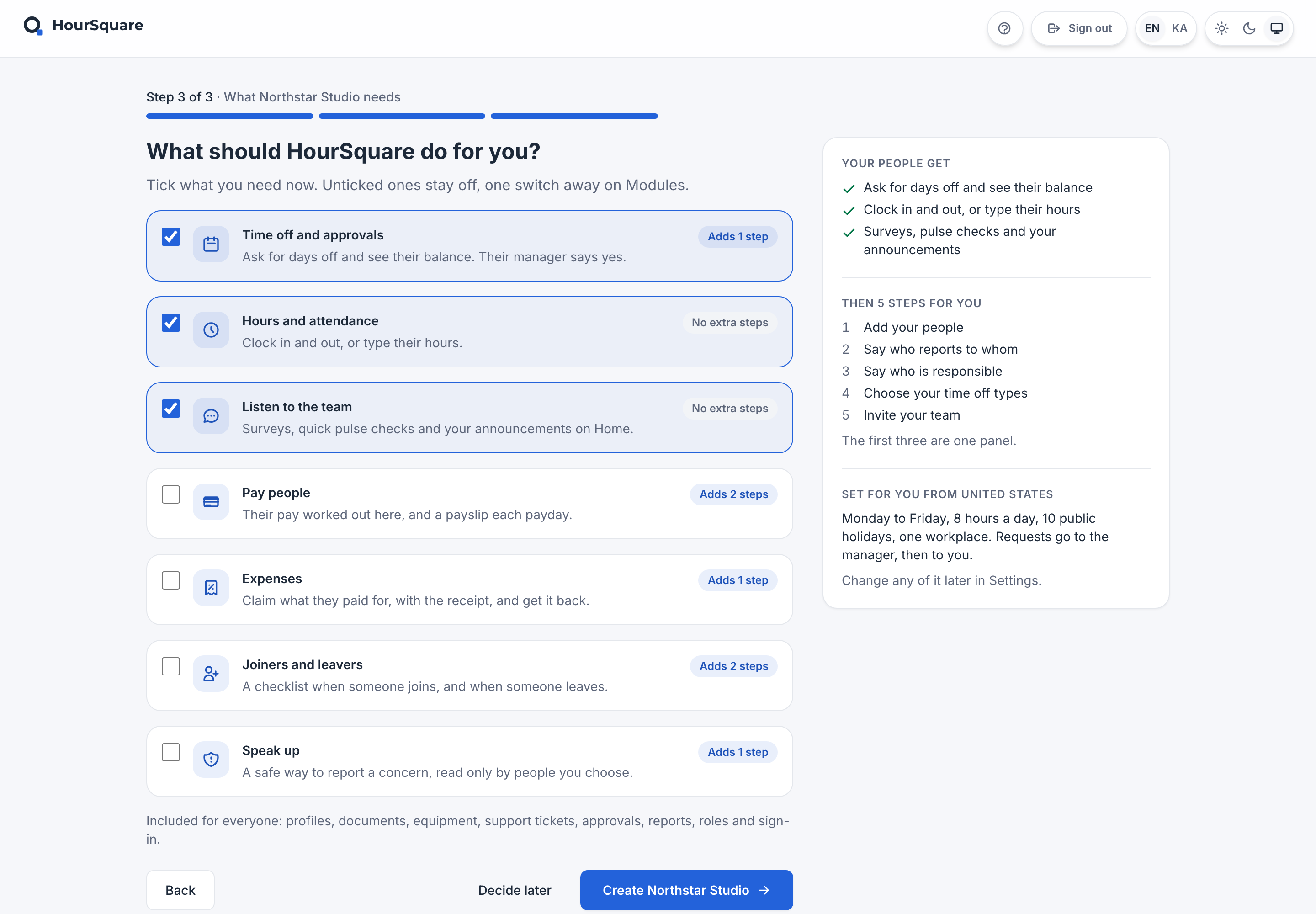
The HourSquare company setup, step 3 of 3, for a fictional company: starting needs, with modules to tick and a summary of what each choice adds
Real Hub screenActual setup screen, step 3 of 3: starting needs. This preview changes no company settings.

Actual setup screen, step 3 of 3: starting needs. This preview changes no company settings.

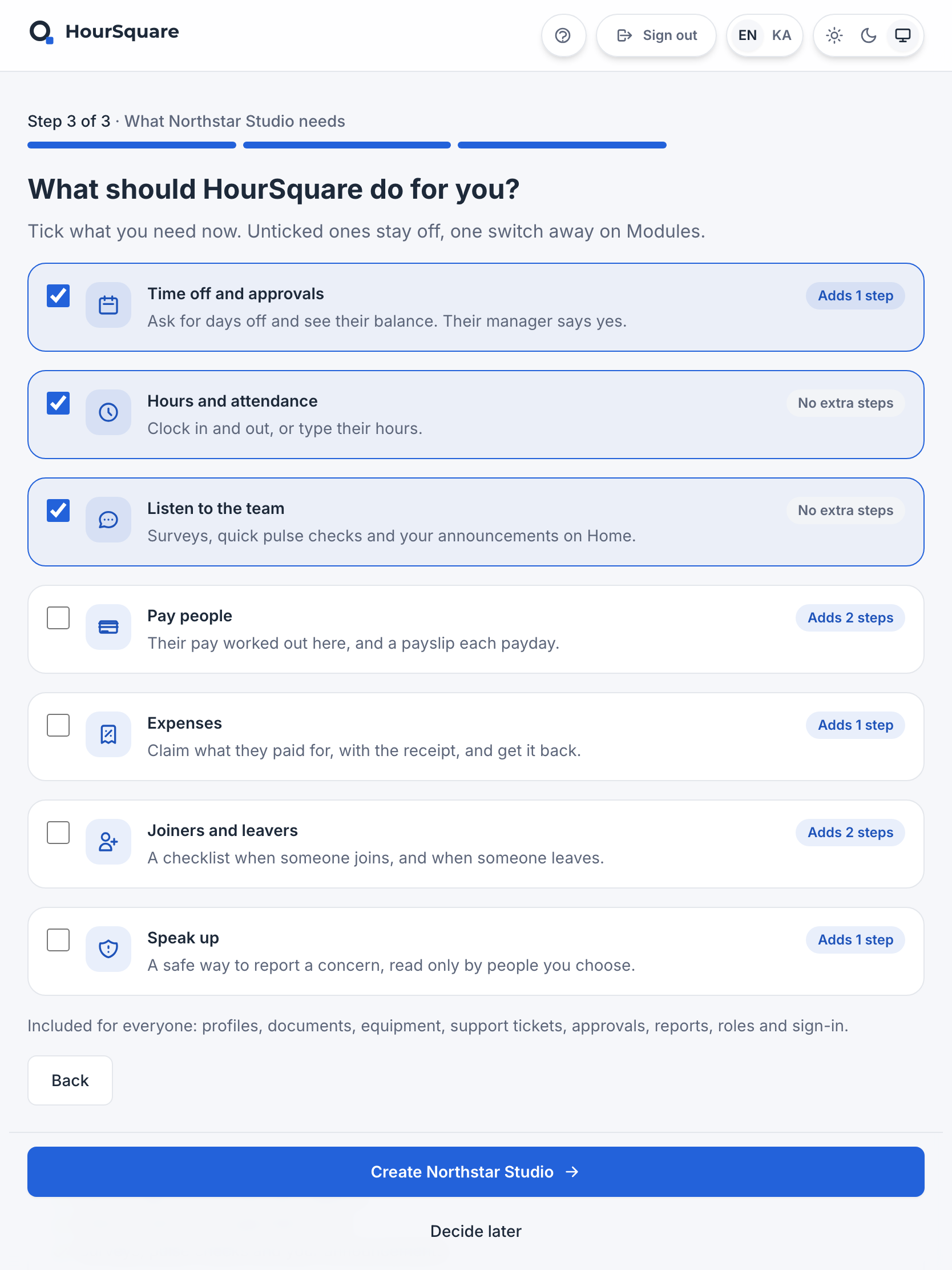
The HourSquare company setup, step 3 of 3, for a fictional company: starting needs, with modules to tick and a summary of what each choice adds
Real Hub screenActual setup screen, step 3 of 3: starting needs. This preview changes no company settings.

Actual setup screen, step 3 of 3: starting needs. This preview changes no company settings.

The HourSquare company setup, step 3 of 3, for a fictional company: starting needs, with modules to tick and a summary of what each choice adds
Real Hub screenActual setup screen, step 3 of 3: starting needs. This preview changes no company settings.

Actual setup screen, step 3 of 3: starting needs. This preview changes no company settings.

A new HR tool.
A clear way to move.

Switching from spreadsheets or another system starts with knowing what to bring, what to check and what needs its own plan.

A little preparation goes a long way.

  • A reviewed people list
  • Policies and approval responsibilities
  • A plan for invitations and the first day

People import does not automatically move every balance, policy, document or integration.

Something useful,
before you sign up.

Practical preparation for the work ahead. Read, save and share a starting guide without filling out a sales form.

  • Preparation checklistPrepare your people list

    Decide what to bring, review your records and understand the import step.

    Open guide
  • Decision checklistPlan your first time-off setup

    Gather leave types, working days and approval responsibilities.

    Open guide
  • Communication draftIntroduce it to your team

    Make it clear what changes, where people go and when they will be invited.

    Open draft

Explore the resource library

Useful answers, without an email gate.

A useful next step

Make a decision you can explain.

Keep the tools
that already work.

Understand the actual connection before planning around it. Explore documented sign-in, calendar, data-transfer and API options.

Trust you can inspect.

Read how HourSquare describes security and data handling. Check the details that matter to your company before making a decision.

The current offer

Free, with every module.

Free forever for teams of up to 10 people.Larger teams are free for now. If that changes, we'll tell you first.

Every available module, for teams of every size. No card to sign up and no trial expiry.

A few clear answers.

What is included in HourSquare?

The platform covers people, time and leave, payroll and expenses, workflows, engagement, reporting and access controls. The current offer includes every available module. Your company chooses its setup and permissions. Explore all features

What happens if pricing changes?

You'll hear from us before anything changes for larger teams, which are free for now, and nothing is switched off. Free forever for teams of up to 10 people.

When do employees receive invitations?

Adding employee records and sending invitations are separate actions. Decide when to invite people after reviewing the relevant setup and intended access.

Does importing people move everything?

No. Use the current employee CSV template and review its preview. Policies, opening balances, historical requests, payroll, documents and integrations need their own scope check.

Can someone help us get started?

Self-service is the main path. If you want to talk through your setup, contact HourSquare. No sales meeting is required to create an account.

Read the full FAQ

Start yourself.
Ask for help when you need it.

Explore the product and set up your company at your own pace. If you want to talk it through, a human conversation is an option.

HOURSQUARE · EST 2026 HR you run yourself.