Reusable templates
List the tasks a new hire needs, who owns each one and when it is due. Reuse the template for every hire in that role.
Onboarding
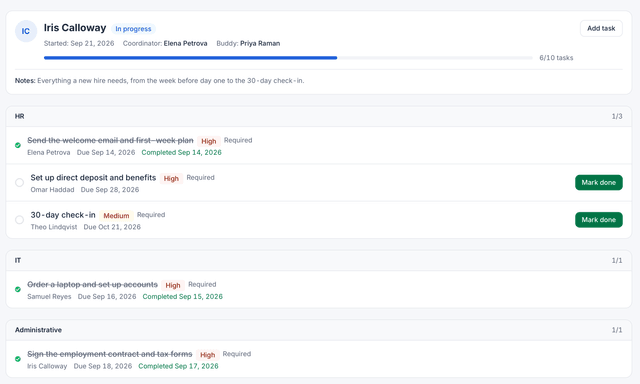
Build an onboarding template once. Add a new hire and, with auto-start on, HourSquare starts the process, hands each task to IT, the manager or the new hire, and shows you where every hire stands on one board.
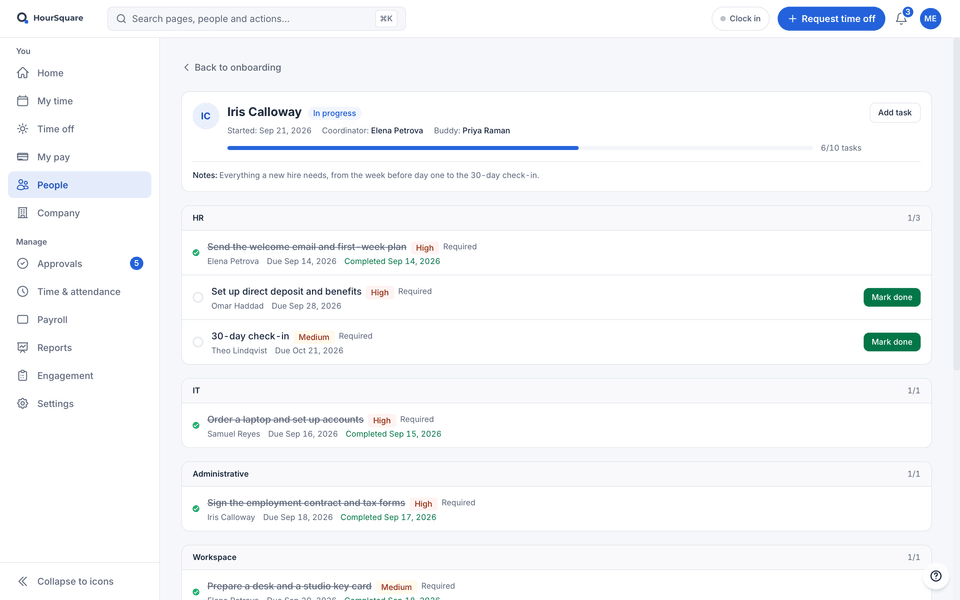
Real HourSquare screens, filled with a made-up demo company.
Turn on auto-start and the process begins the moment the employee is added. Nobody has to remember to press go.
Each task goes to IT, the manager or the new hire, with a due date, so nothing waits for HR.
Not started, in progress or completed — per hire, per task, without asking around.
Capabilities
The pieces you set up once and reuse for every hire.
List the tasks a new hire needs, who owns each one and when it is due. Reuse the template for every hire in that role.
Pick a default template and switch on auto-start: every employee you add gets that onboarding process straight away.
Each owner sees their own tasks — equipment and access for IT, day-one items for the manager, documents for the new hire.
The employee logs in to a personal checklist and ticks things off as they go, instead of asking what is next.
See every running process and which task is still open, so you can nudge the right person before day one.
Exits use the same template engine: equipment back, access removed, final tasks assigned — and the account disabled on the leaving date.
How it flows
The path a new hire takes through HourSquare, in four steps.
Add the tasks, assign each to IT, the manager or the new hire, and set how many days before or after the start date it is due.
With auto-start on, the process starts as soon as the employee is added. You can also start it by hand.
IT, the manager and the new hire each see their own list. The new hire gets a checklist to follow.
Each process shows as not started, in progress or completed. When the last task closes, so does the onboarding.
Works with
A new hire created here already has a leave balance, a schedule and a place in payroll waiting.
Ready when you are
Free for now, every feature included, no card to sign up. We'll tell you before anything changes.
Free for now · GDPR-native · EU-hosted